


📲 How to Add to Home Screen
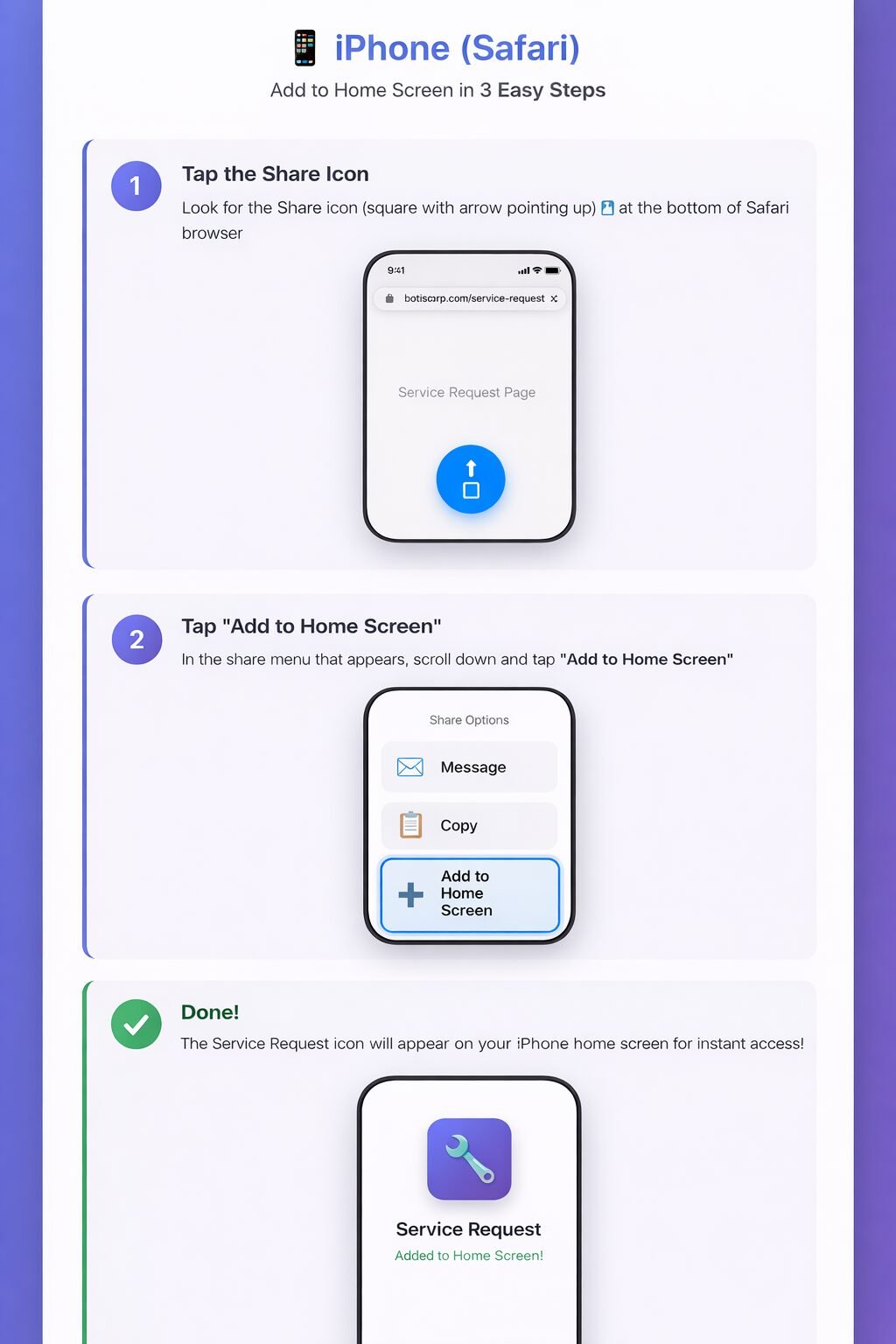
iPhone (Safari)
- Tap the Share icon (square with arrow pointing up) at the bottom of Safari
- Scroll down and tap "Add to Home Screen"
- Tap "Add" in the top right corner
- Done! The Service Request icon will appear on your home screen
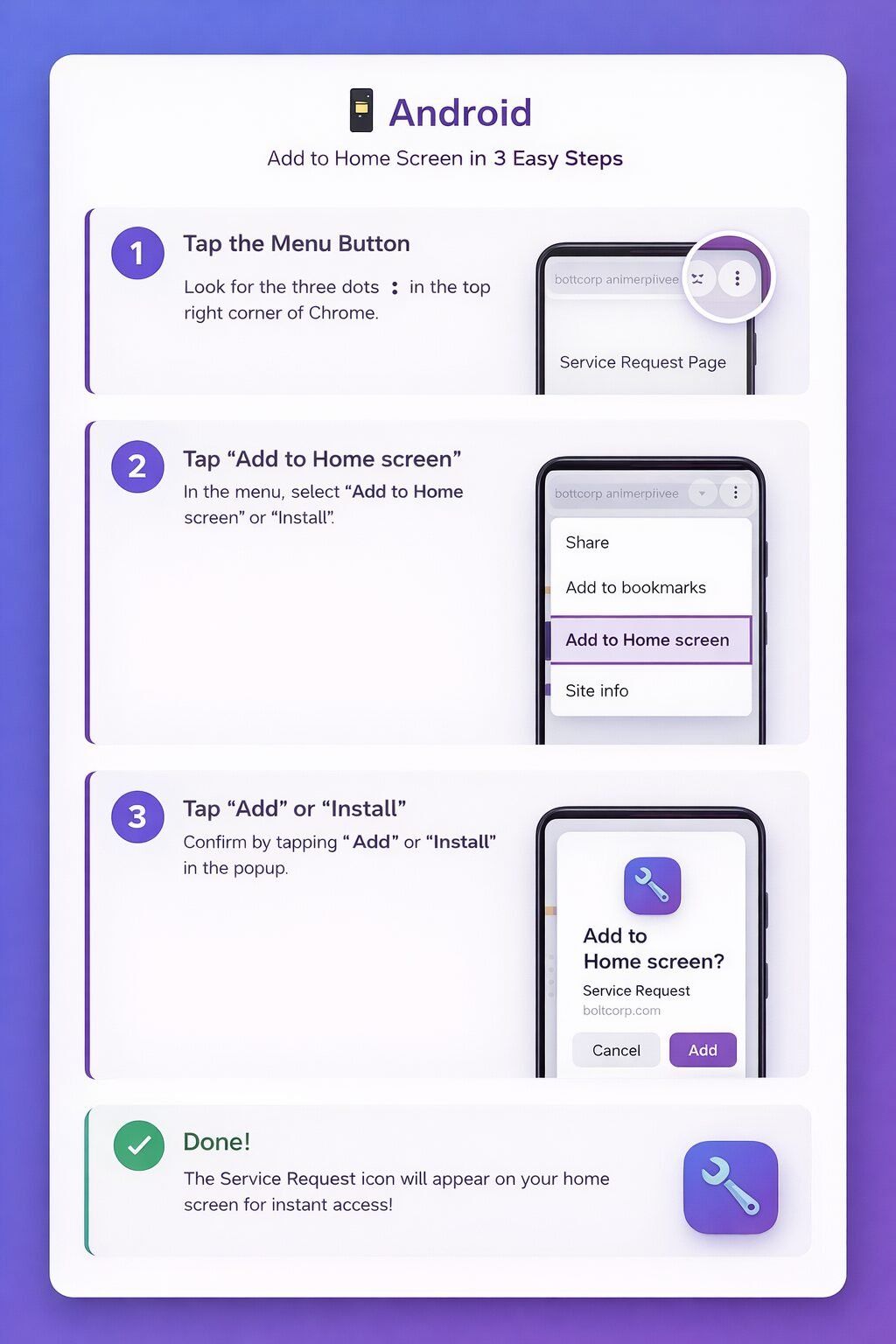
Android (Chrome)
- Tap the Menu button ⋮ in the top right
- Tap "Add to Home screen" or "Install"
- Tap "Add" or "Install" to confirm
- Done! The Service Request icon will appear on your home screen
 English
  Spanish